
Domus Planner for Claude
Furnish a room by talking
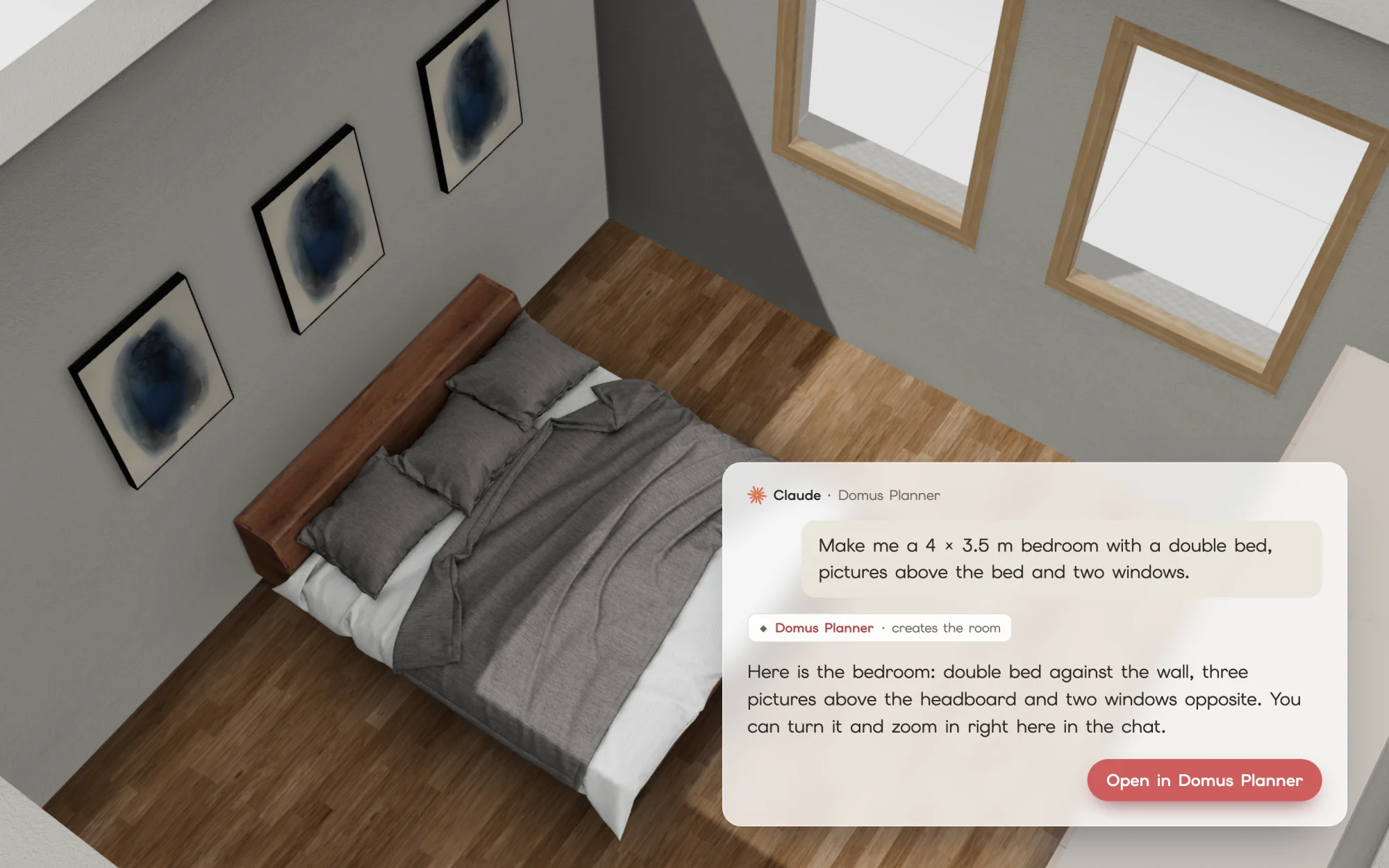
Describe the room you have in mind to Claude. It builds it with real furniture from the Domus Planner library, shows it in 3D in the chat and changes it whenever you ask. When you like it, open it in Domus Planner with one click and adjust it by hand.
How to add it
01
Open Claude's settings
On claude.ai open Plugins, then Add and Add custom connector.
02
Enter the connector
Name: Domus Planner.
Server URL:
Server URL:
https://apps.domusplanner.com/planner/mcp.phpAuthentication: none, no account needed. Then Add.03
Ask for your room
In a new chat write, for example: “With Domus Planner, make a 4 × 4 m room with a wooden floor, a table and four chairs”.
What to ask
- “Make a 3 × 4 m bedroom with a double bed and a sofa”
- “Design a kitchen along the north wall with base and wall units”
- “Add a window on the north wall and turn the bed towards it”
- “Give me a picture of the room”
- “Export the room as a 3D model”
What you get
The room in the chat
A live 3D view you can turn and zoom. Each change Claude makes appears as a new view.
Real furniture
Beds, sofas, tables, chairs, kitchen units, doors and windows from the Domus Planner library, with their materials.
Claude checks its work
It looks at pictures of the room and fixes overlapping or misplaced furniture.
Edit in Domus Planner
The button in the view opens the room in the application as a new project: change it by hand there and save it in your account.
Files
Claude can export a picture ( PNG ) or a 3D model ( GLB ) of the room.
Good to know
No account. Rooms made in the chat are not linked to you: each one has a long random code, and anyone who has it can open the room, like a shared link. They are deleted 90 days after their last change. To keep a room, open it with the button and save it in Domus Planner.
Changes you make in Domus Planner stay in Domus Planner: the room in the chat does not change.
Privacy: see the privacy notice of the connector. Support: info@xosystem.com