account_circle
Sign-in and accounts
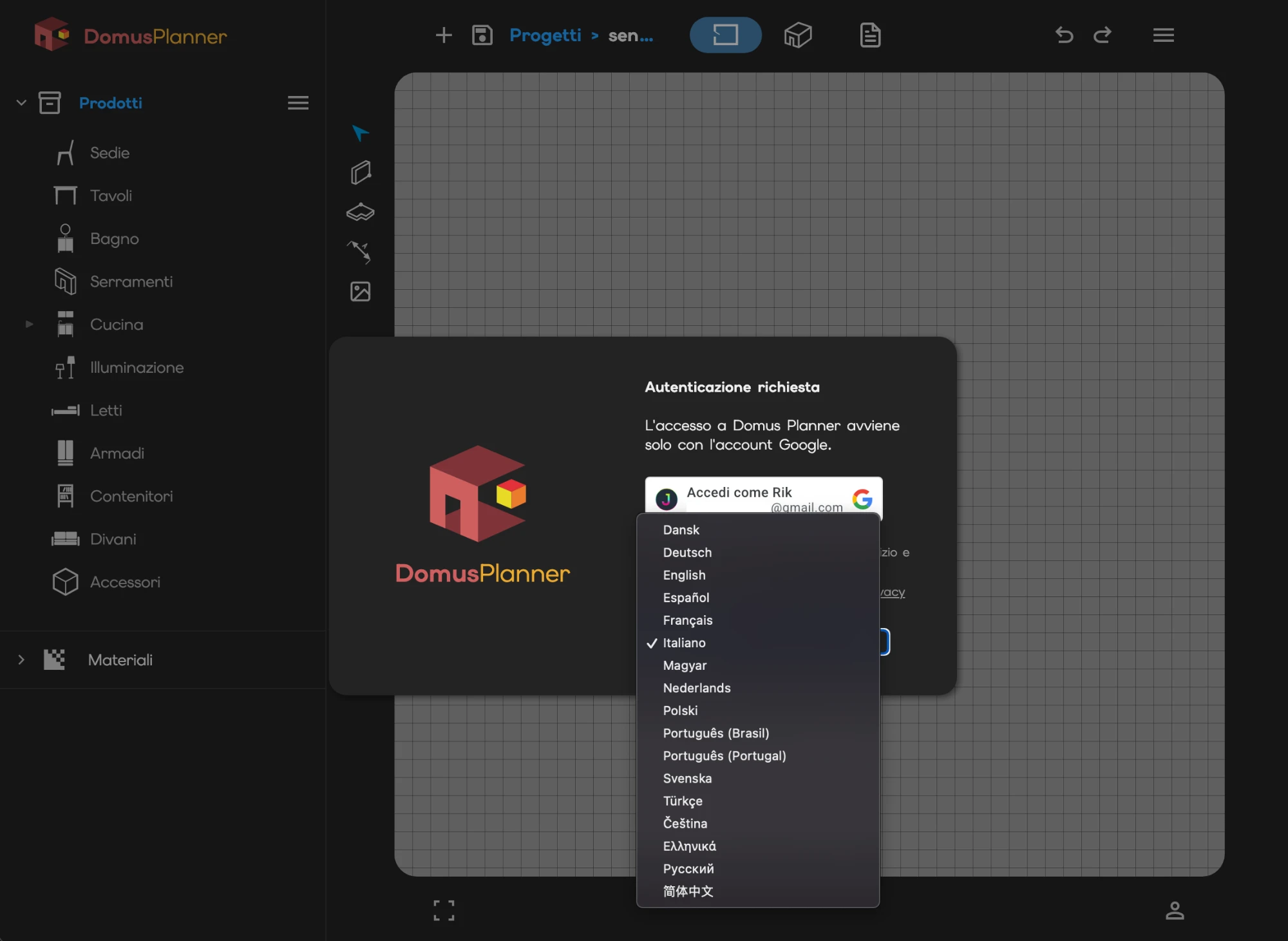
People sign in with their Google account: no new password to remember.
On the first sign-in, the user gets a 10-day free trial, with 10 AI renderings included.
Once the 10-day free trial is over, a user can buy a monthly plan, which renews on its own. The plan comes with 50 welcome AI renderings.
architecture
From the plan to the 3D scene
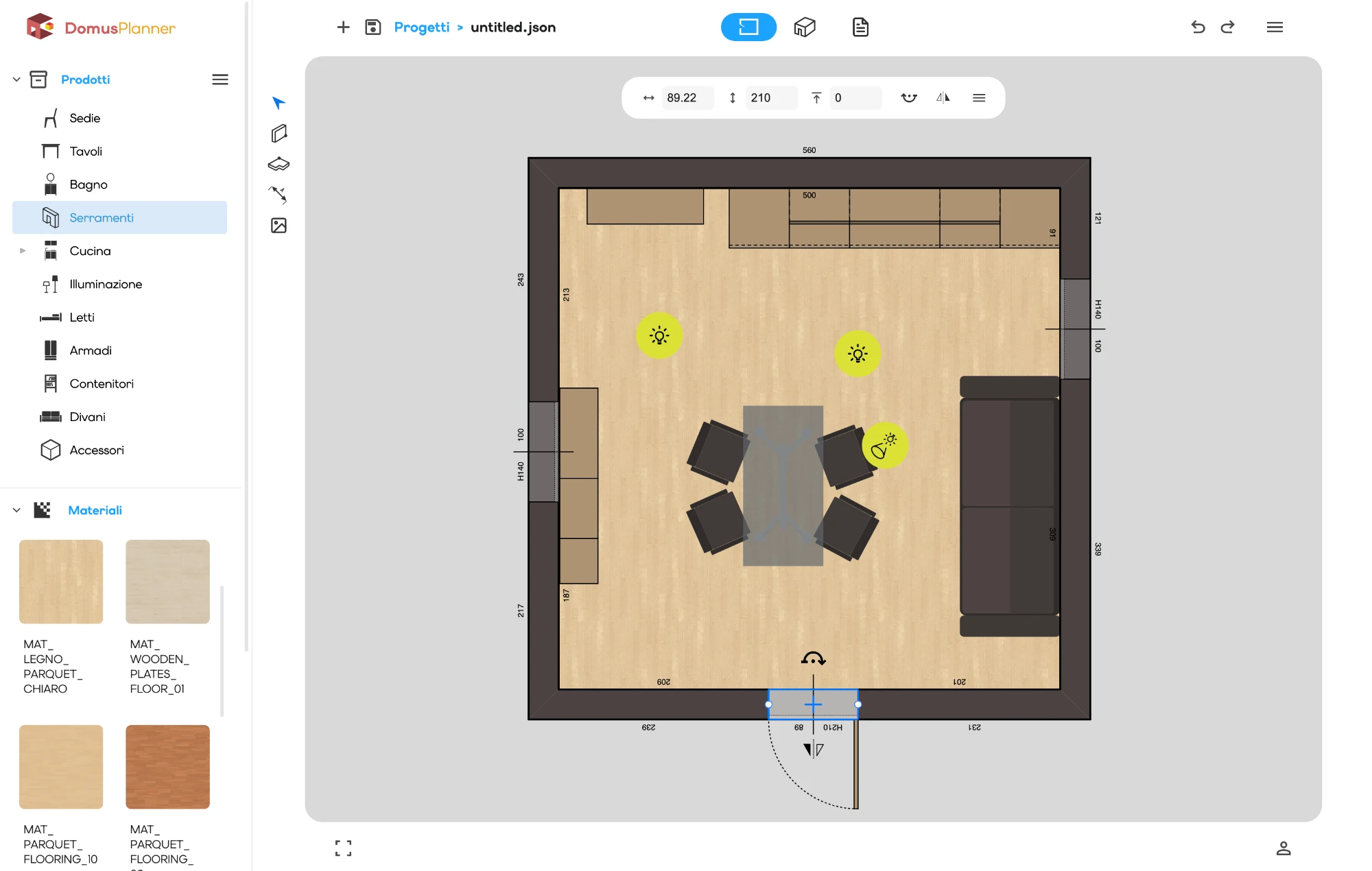
It starts from the plan: walls are drawn one at a time and snap to one another, or a whole rectangular room goes in at once.
The 3D scene button then takes you inside, with the walls already in place.
That is where the furnishing begins, and the plan stays one button away.
category
Picking a product
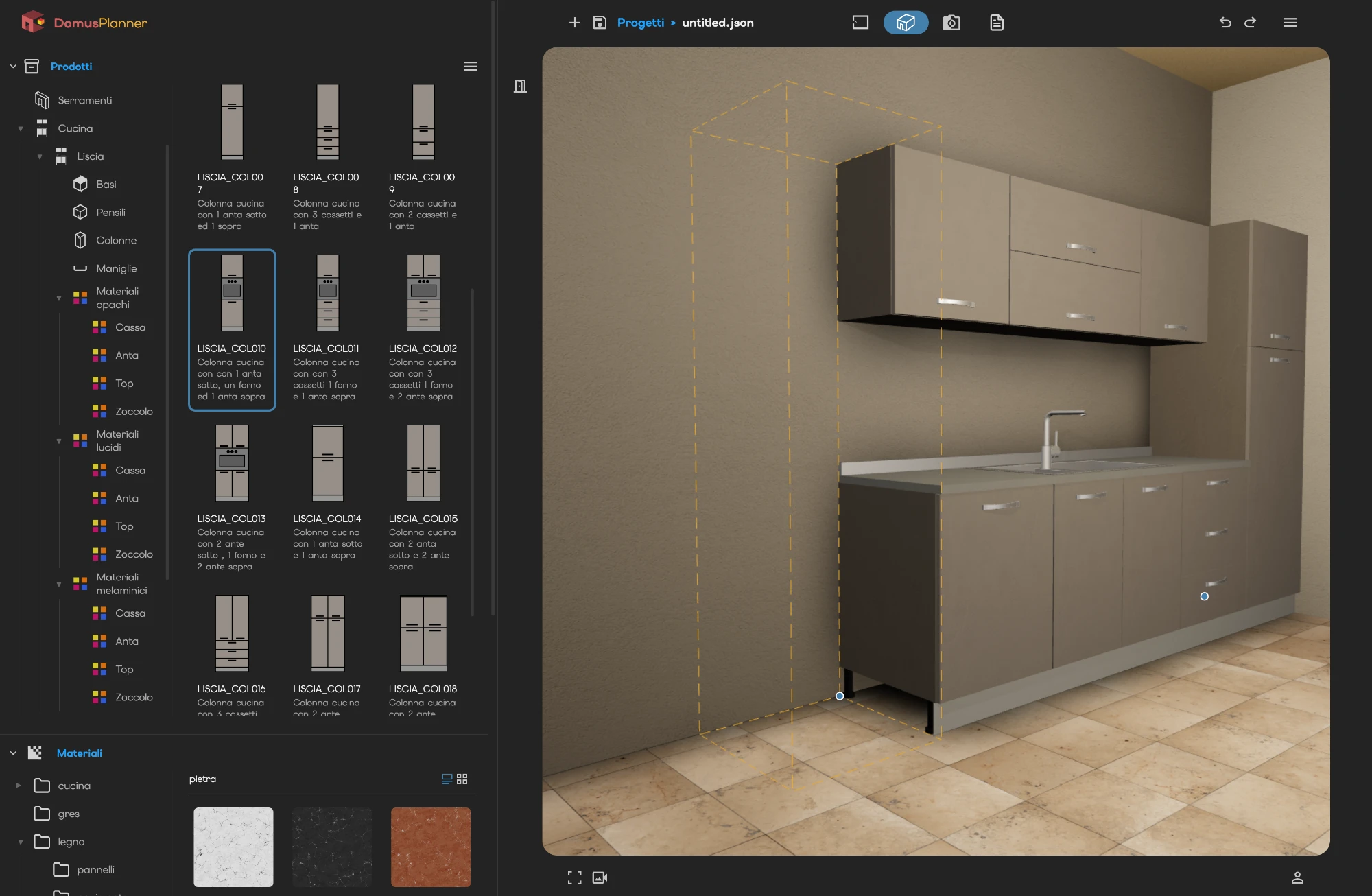
The library is split into categories: seating, sofas and armchairs, tables, beds, wardrobes, storage, bathroom, lighting.
You choose the item and, before even placing it, you see its footprint in the scene. You know straight away whether it fits.
link
Snapping two pieces together
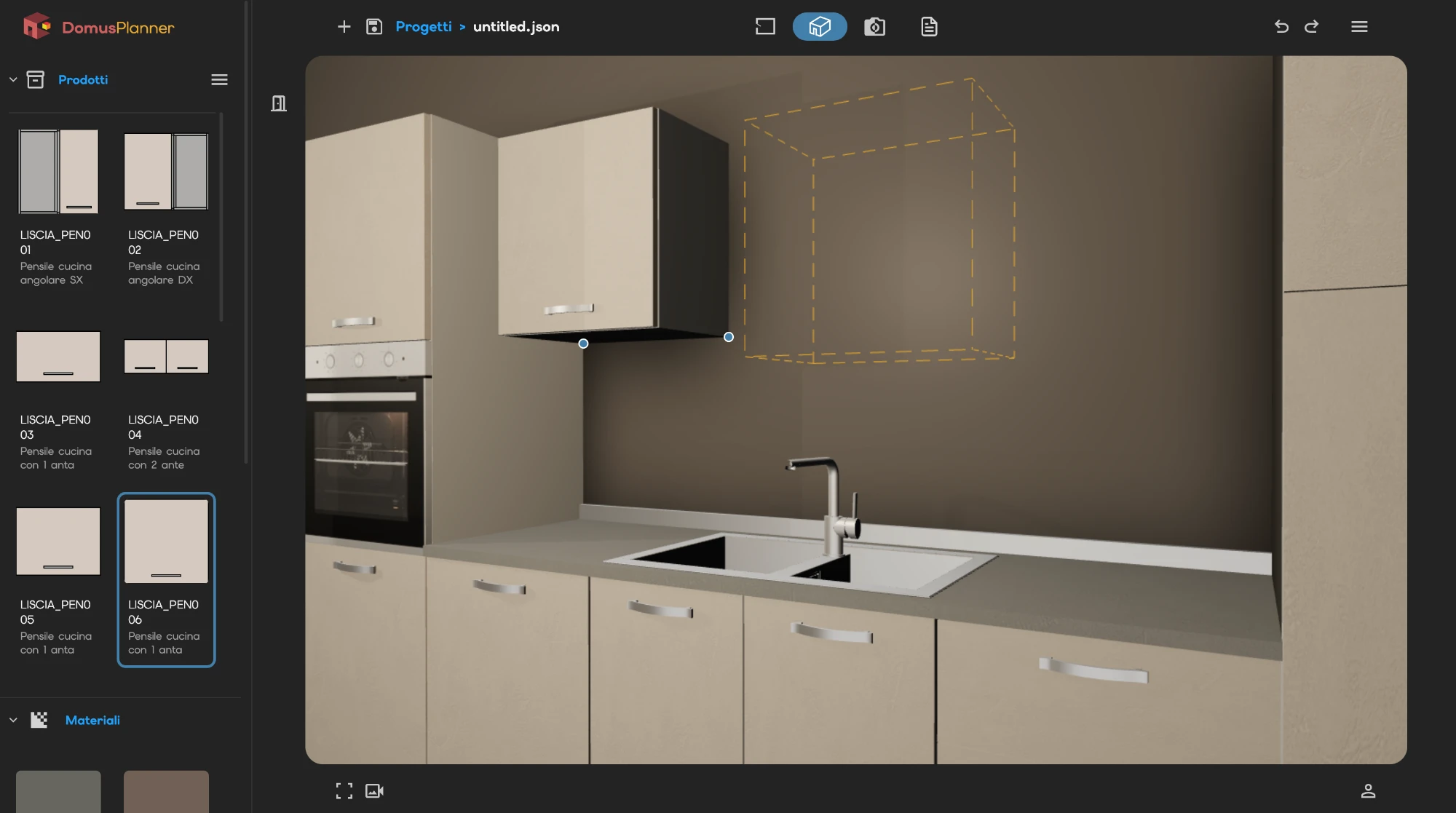
If the scene already holds something the chosen piece can attach to, the free snap points light up.
Click a point and the piece lands there: square, flush, with no alignment to chase by hand.
This is how a whole kitchen is composed, one unit after another.
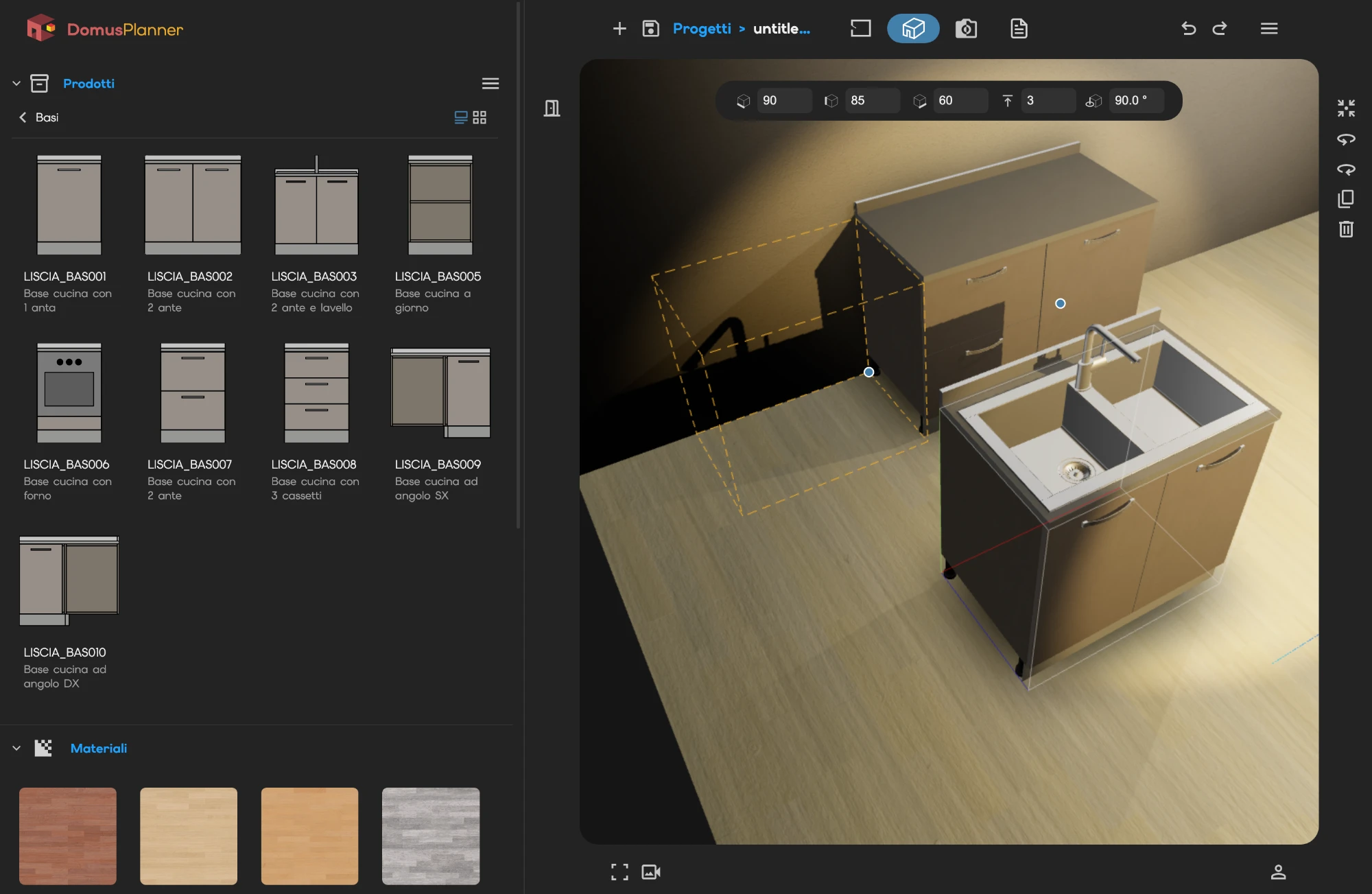
An element already in the scene can be taken back: moved, rotated, duplicated, removed.
Select it and its snap points come back, along with those of the pieces around it, so it can be reattached somewhere else.
And every step can be undone. Trying a variant costs nothing.
request_quote
The quote, line by line
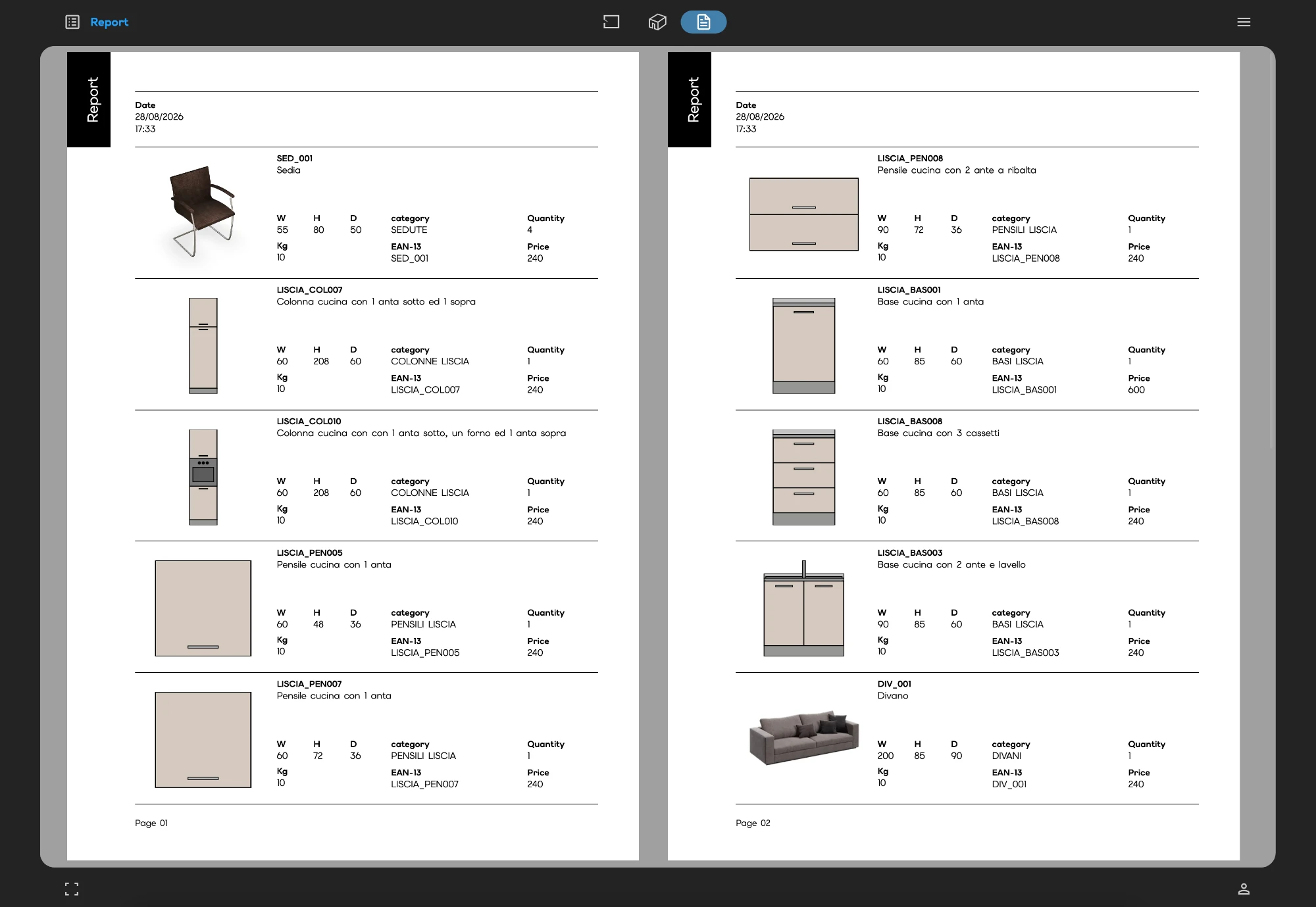
When the composition is done the figures are already there: every item with its code, its description, its quantity and its price, materials included.
It is not an estimate. It is the sum of what stands in the scene, and it changes when the scene changes.
Print it and hand it over.